
Download TidyTabs – Organize Windows Applications with Tabs
TidyTabs is a Windows productivity application developed by Nurgo Software that allows users to organize multiple application windows into a tabbed interface. Instead of managing numerous separate windows across the desktop, users can group compatible windows together and switch between them using tabs, creating a cleaner and more organized workspace.
What Is TidyTabs?
Working with several applications at the same time can quickly make a desktop difficult to navigate. Documents, folders, text editors, and other open windows may overlap, making it harder to find the information needed. TidyTabs addresses this problem by introducing a tab-based window management system for Windows.
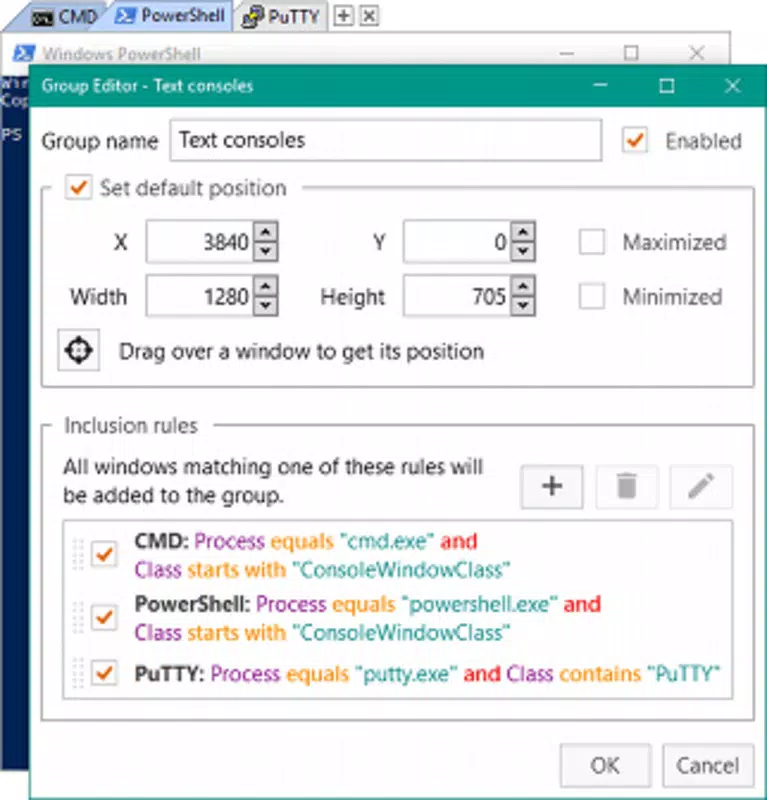
With TidyTabs, users can group supported application windows into a single window containing multiple tabs. This approach is familiar to anyone who uses a modern web browser, where several pages remain accessible through one organized interface. Applying a similar concept to desktop applications helps reduce visual clutter and makes multitasking more convenient.
TidyTabs is particularly useful for professionals, developers, researchers, students, and anyone who regularly works with multiple documents or applications. It can help create a more structured desktop environment without requiring users to change their preferred applications or completely redesign their workflow.
Key Features of TidyTabs
Tabbed Window Management
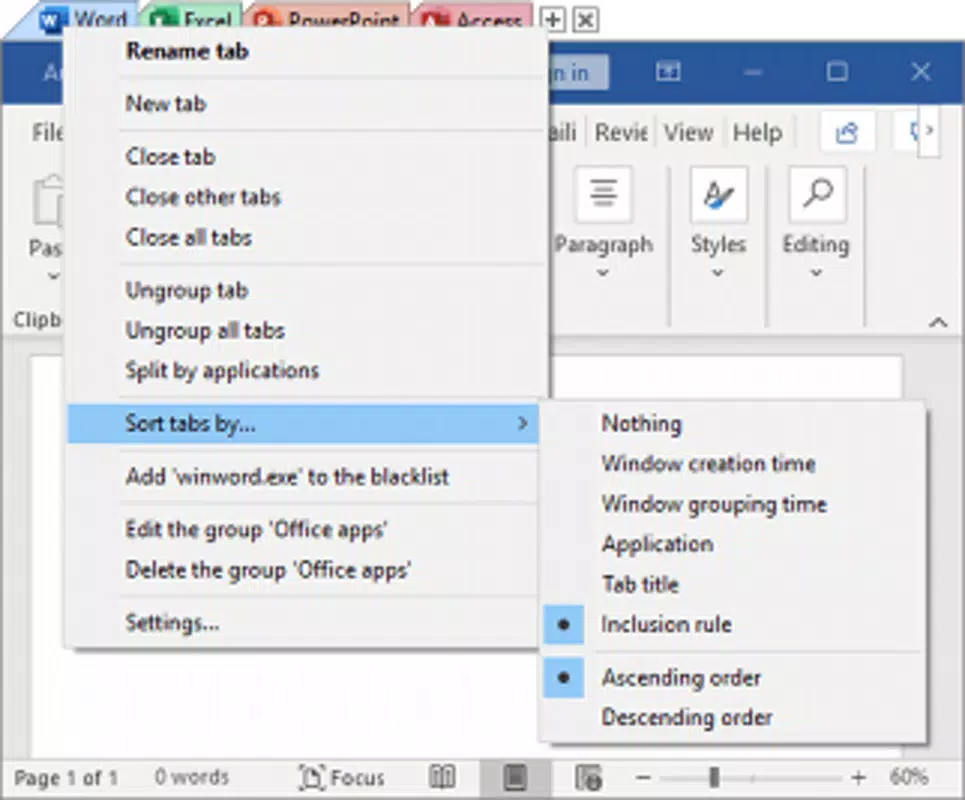
The main feature of TidyTabs is its ability to combine compatible application windows into a tabbed interface. Rather than keeping every window separate, users can access related windows from one organized workspace. This can make switching between documents and tasks faster and more convenient.
Reduced Desktop Clutter
A desktop filled with overlapping windows can make everyday computer tasks unnecessarily complicated. By grouping related windows, TidyTabs helps users maintain a cleaner desktop and spend less time searching for the application they need. A more organized workspace can also make it easier to concentrate on important tasks.
Improved Multitasking
TidyTabs is designed for people who frequently move between different windows throughout the day. For example, a user writing a report can organize research documents, reference materials, and text editors into a more convenient workspace. Similarly, office workers can group related documents and applications to simplify their daily routines.
Integration with Existing Applications
Rather than replacing the software users already depend on, TidyTabs focuses on organizing application windows. This makes it a practical option for people who want a more efficient desktop without having to learn a completely new productivity platform. Compatibility and behavior may vary depending on the application and Windows environment.
Who Should Use TidyTabs?
TidyTabs can benefit a wide range of Windows users. Developers working with editors, documentation, and reference windows may appreciate having related tools grouped together. Students and researchers can organize multiple documents while studying or preparing assignments. Business professionals can use a tabbed desktop to manage spreadsheets, reports, and other work-related windows.
The software can also be useful for everyday computer users who frequently open multiple folders, documents, or applications. Anyone who finds it difficult to manage a large number of desktop windows may benefit from a more structured approach to multitasking.
Productivity and User Experience
TidyTabs focuses on improving the way users interact with their existing desktop environment. Its tab-based approach is easy to understand because it builds on a familiar interface pattern. Users who already navigate between browser tabs should find the general concept straightforward.
By grouping related windows, users can reduce unnecessary window switching and maintain a more consistent workflow. The benefits are especially noticeable when several tasks require frequent movement between different documents or applications.
Compatibility and Availability
TidyTabs is desktop software developed for Windows. Before downloading or installing the application, users should consult the official Nurgo Software website for the latest release, supported Windows versions, system requirements, licensing information, and available features.
The developer's official website is the recommended source for obtaining the software and reviewing current product information. Availability, licensing terms, and feature support may change as new versions are released.
Why Choose TidyTabs?
TidyTabs offers a practical approach to desktop organization by bringing compatible application windows together in a tabbed interface. Its primary purpose is to simplify multitasking, reduce window clutter, and make it easier to navigate between related tasks.
If you regularly work with several applications at once and want a more organized Windows desktop, TidyTabs is worth exploring. Visit the official Nurgo Software website to learn more about its features, review the available editions, and download the version that suits your needs.


